I manage it myself
All your admin in one place.
Invoices and Peppol, scanned purchases, VAT return prepared, exports ready when needed.
- Invoicing
- Purchases
- VAT
- Exports
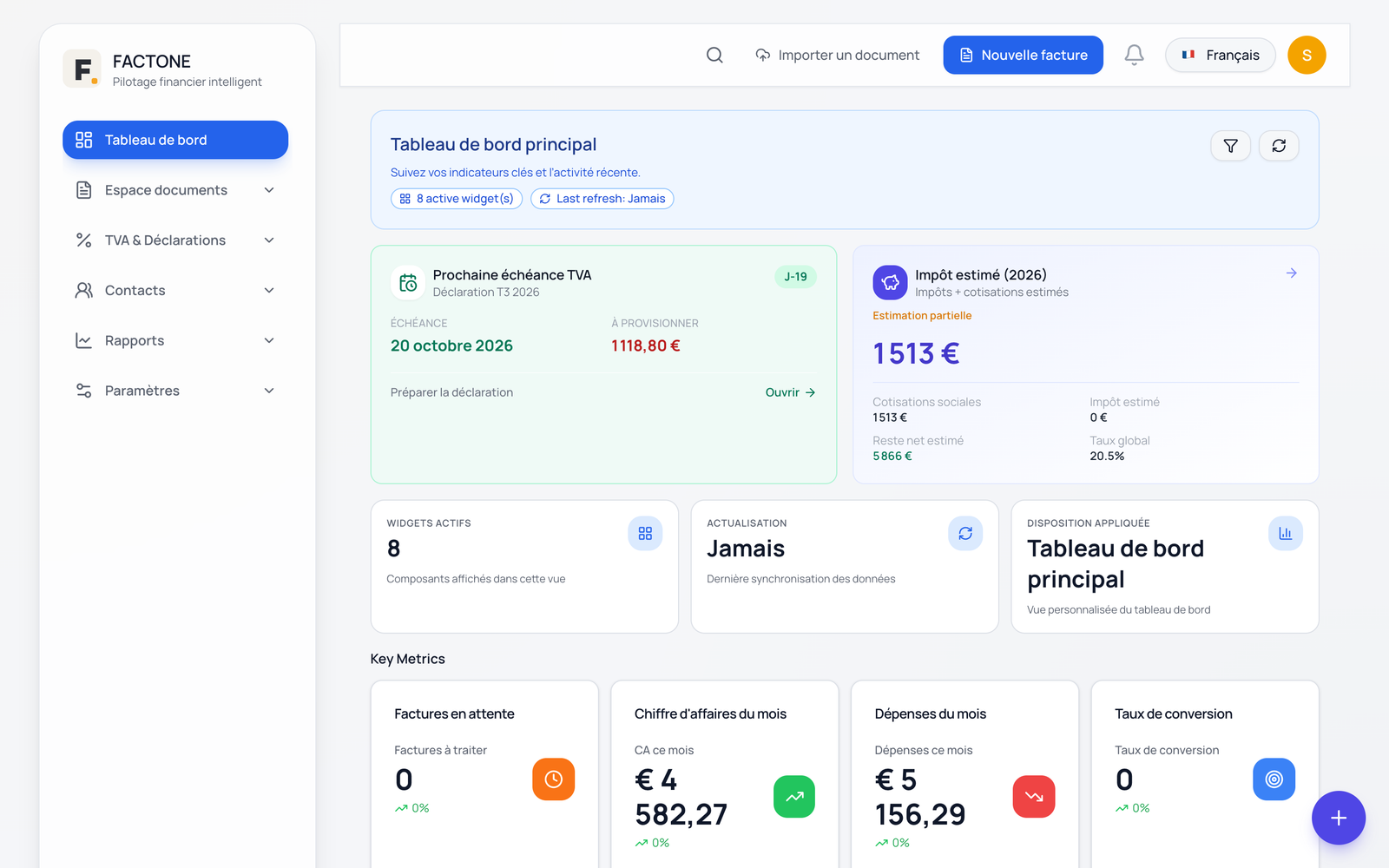
Invoicing · Peppol · VAT — Belgium
Issue your invoices, send them and receive your suppliers' invoices via Peppol, scan your purchases and prepare your VAT return. Your accountant retrieves everything, with no re-keying.
Free 14-day trial, no credit card required.
One tool, from quote to VAT return
What you sell and what you buy arrive in the same place, with the VAT already broken down. The VAT return and the accounting export follow from it.
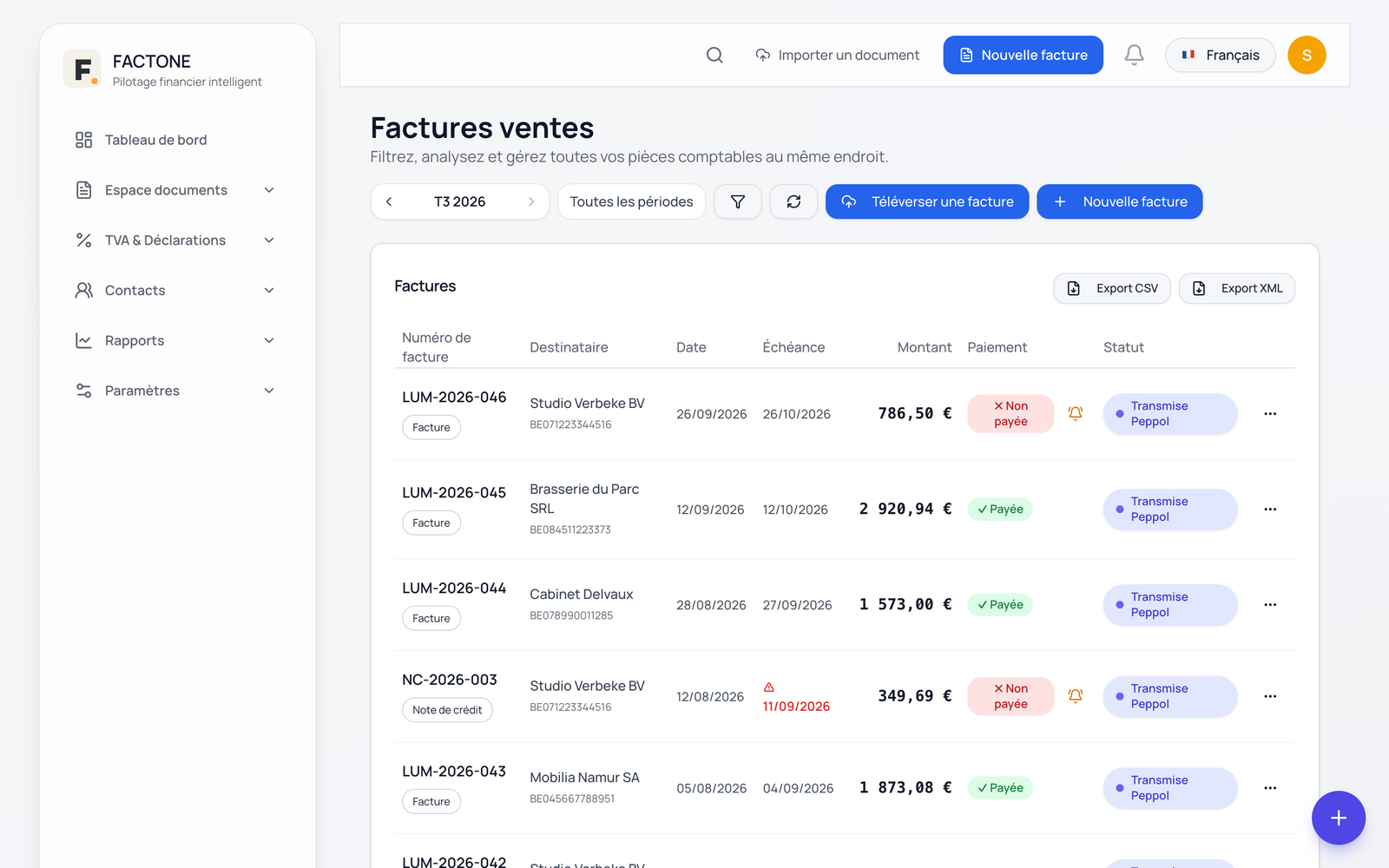
Invoices, quotes, credit notes and recurring invoices, from your catalogue and your contacts.
InvoicingYour invoices go out over the Peppol network; your suppliers' invoices arrive in your Peppol inbox, ready to check.
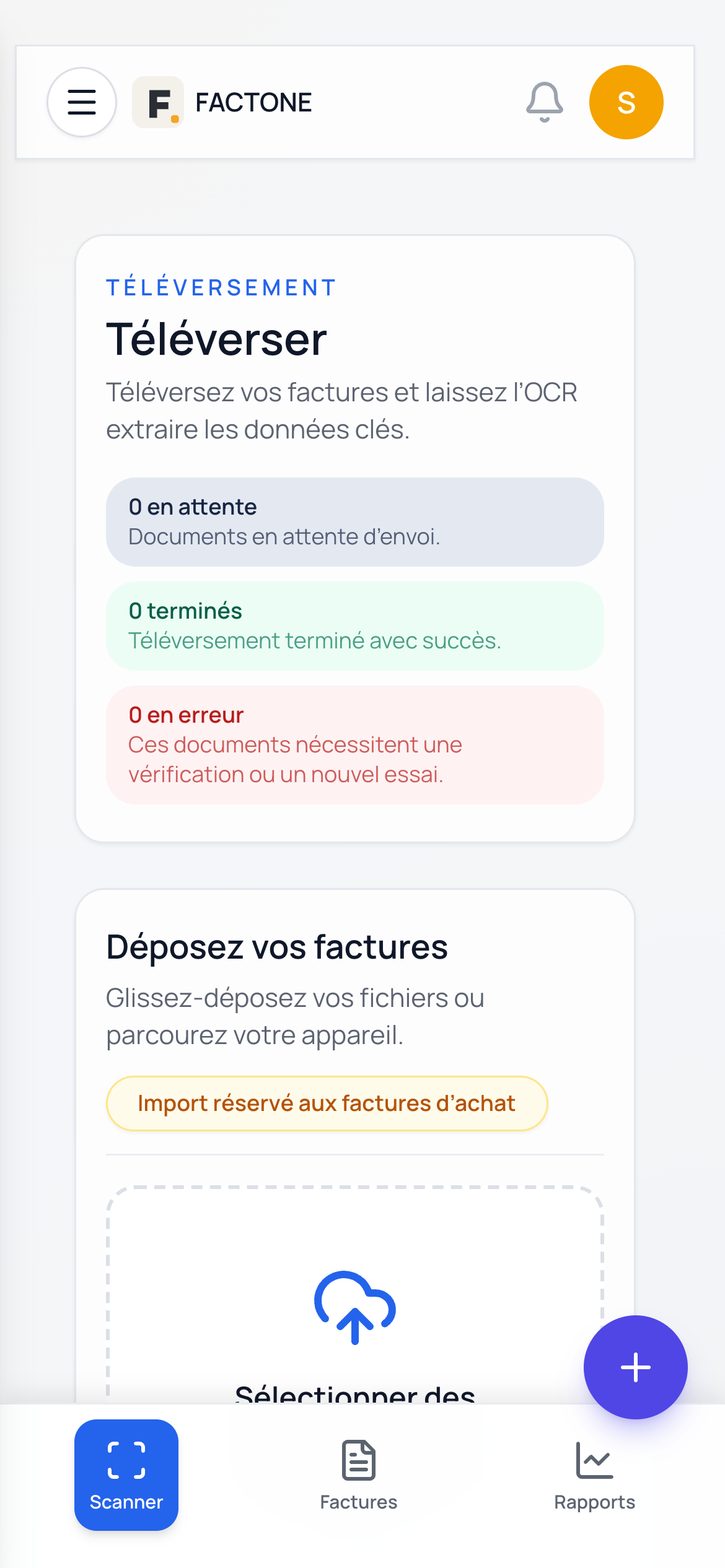
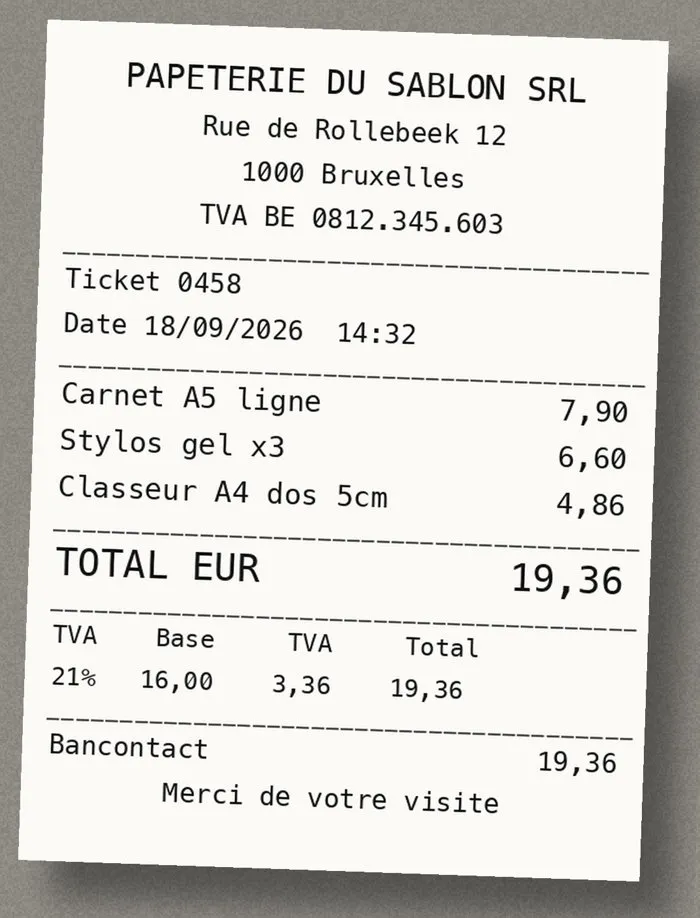
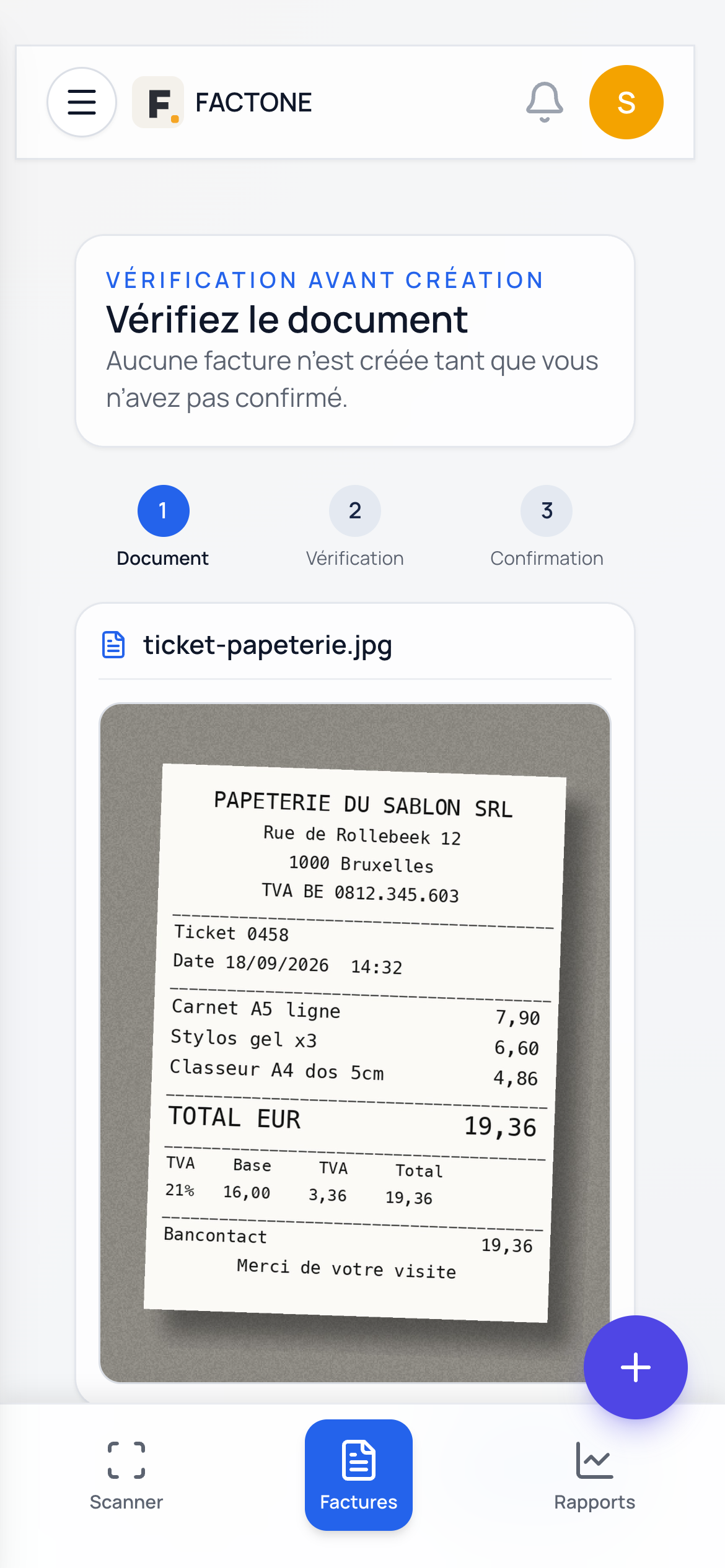
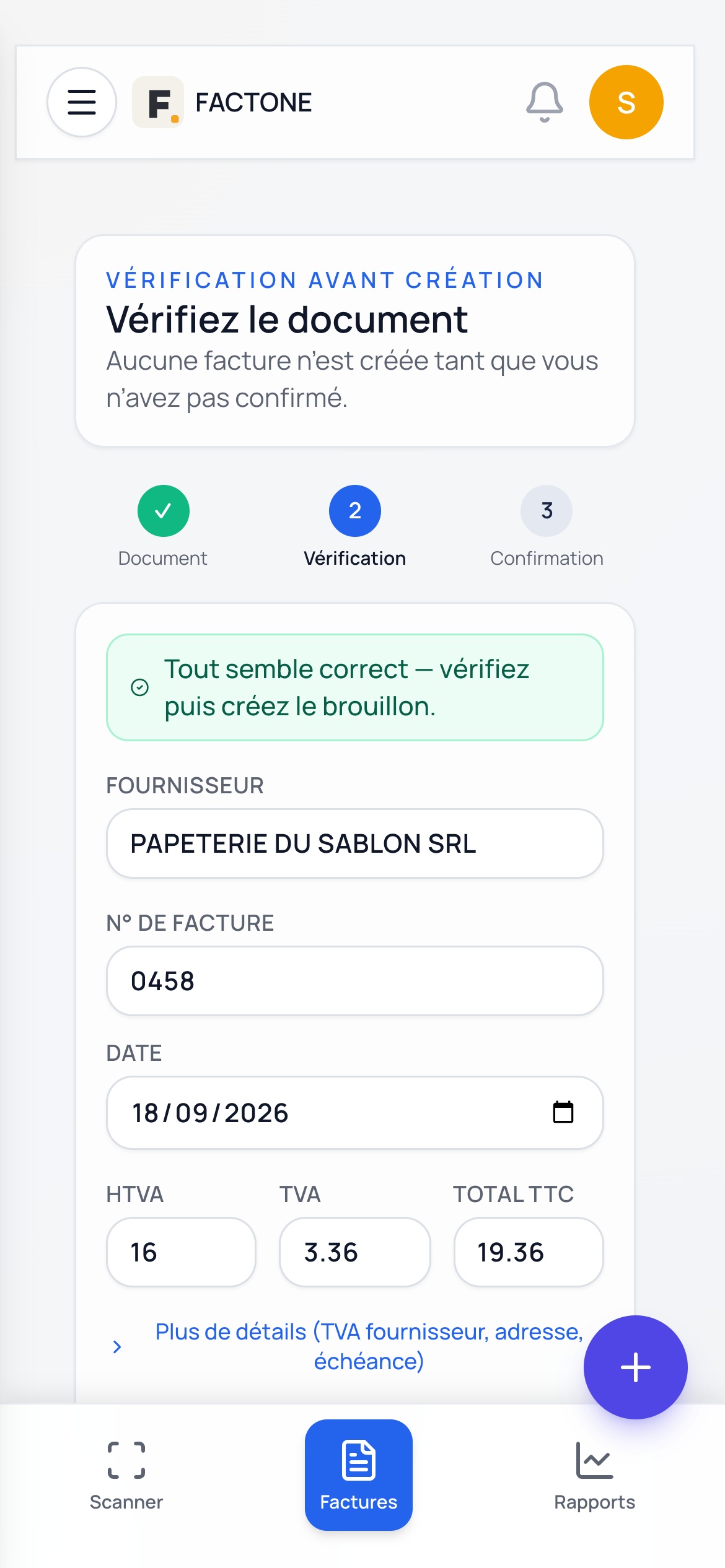
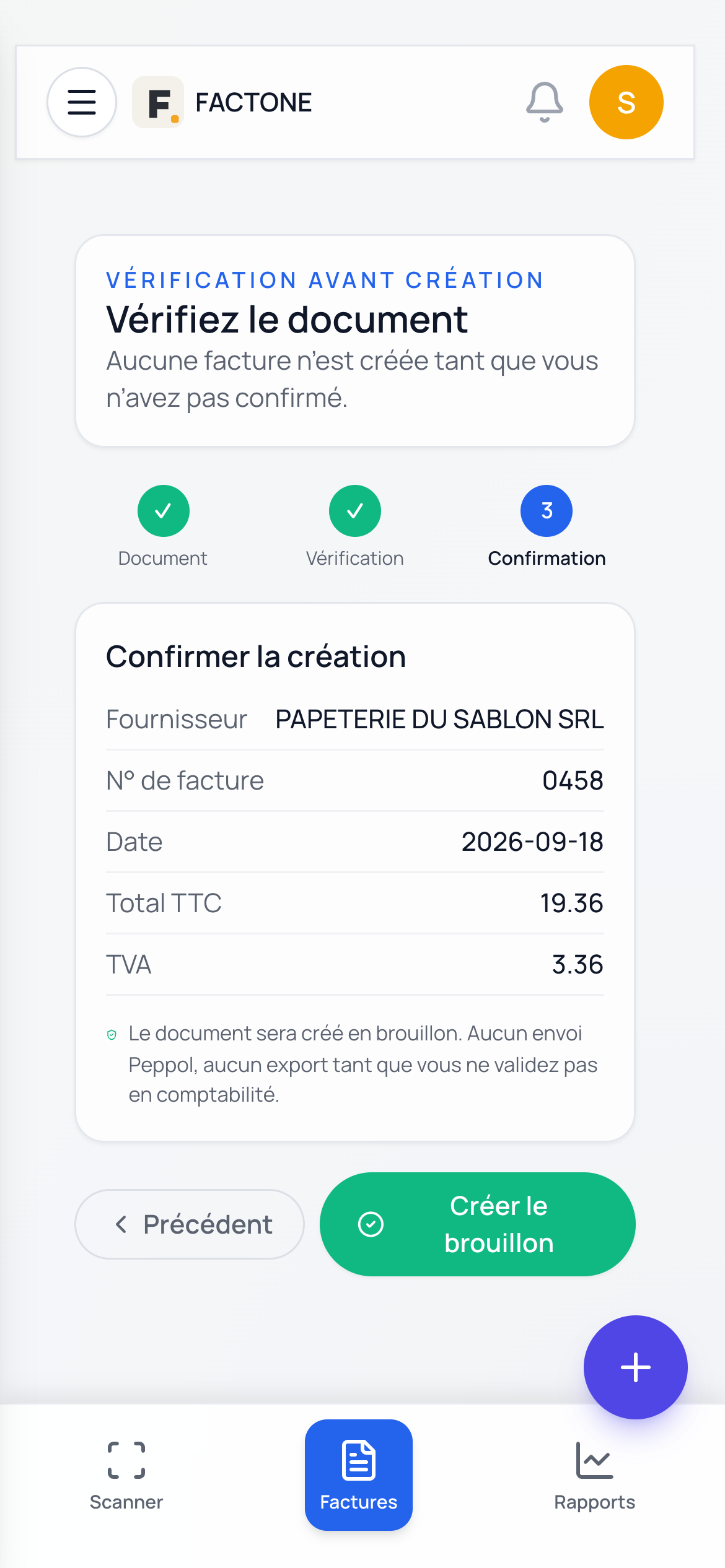
PeppolPhotograph a receipt or import a PDF: amounts and VAT are extracted, and you check them before validating.
Purchases and OCRRecord your daily takings, track your payment methods and find your amounts by VAT rate.
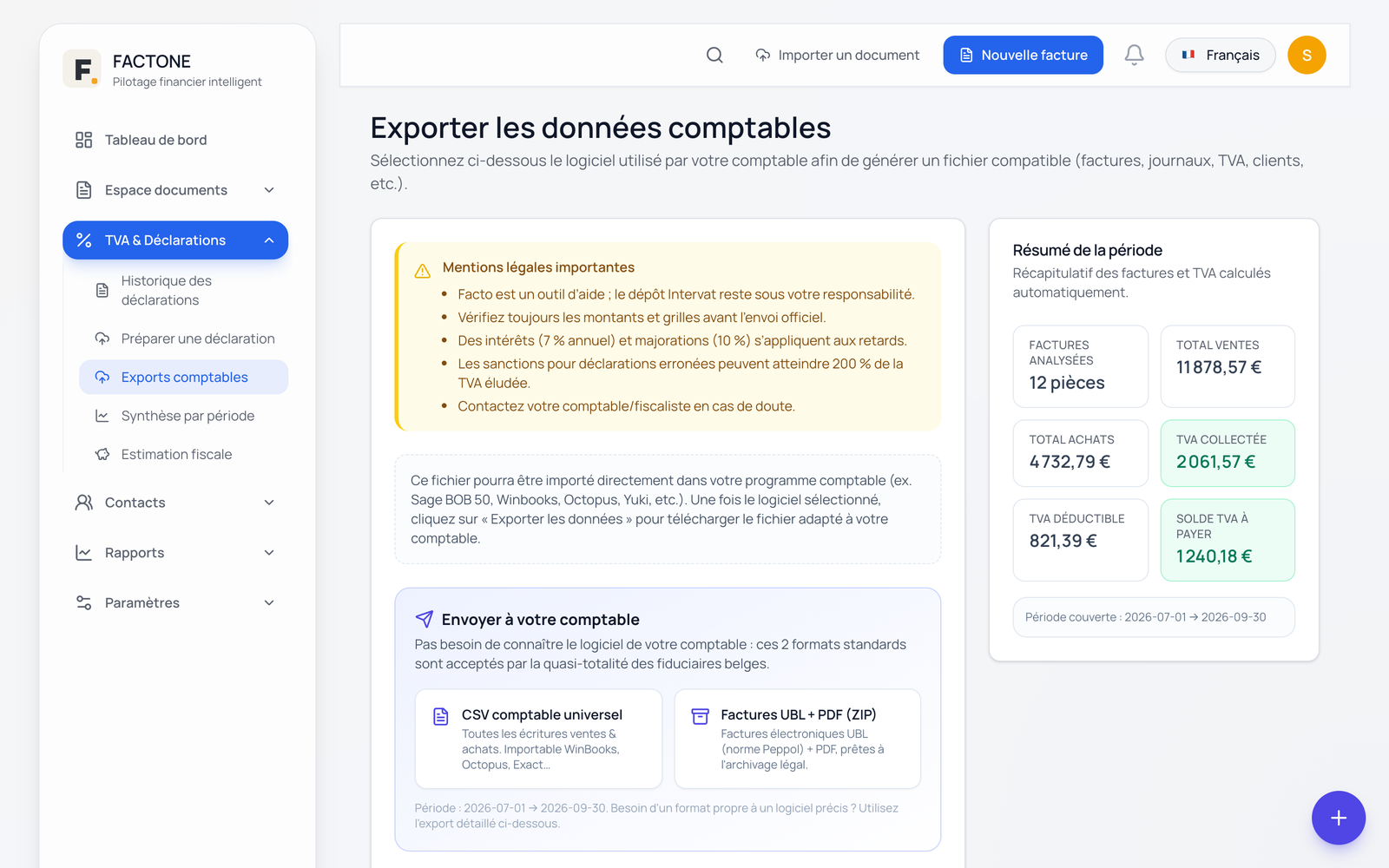
Discover the receipts journalThe boxes are calculated from your invoices; the file for Intervat and the accounting export are generated.
VATFollow your activity with clear views of your sales, purchases, VAT and results, and export your data for your accountant.
See the reportsPurchases and receipts
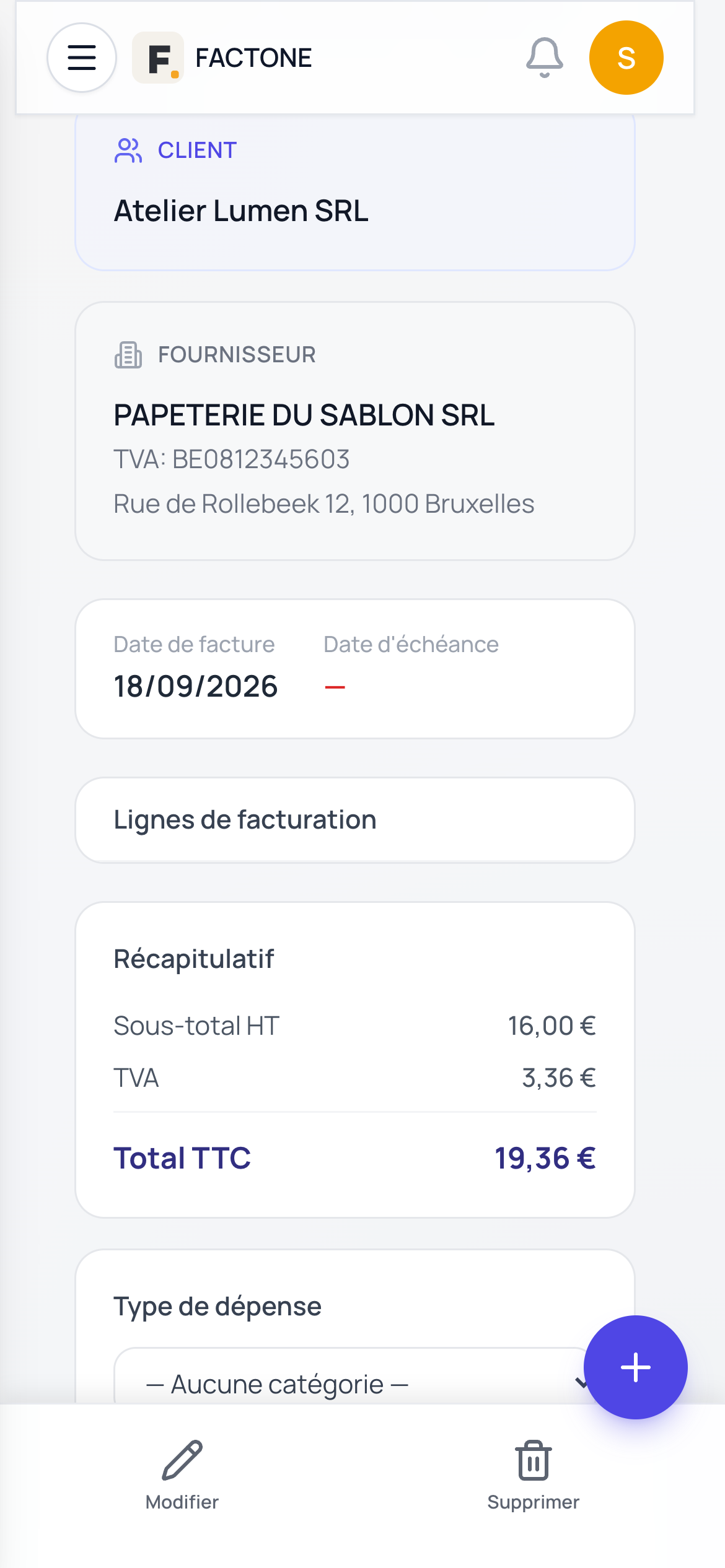
Photograph the receipt the moment it is handed to you. FactOne reads the supplier, the date and the amounts; you check, and the expense joins your purchases with its supporting document. No more quarterly shoebox.
Anything that could not be read with certainty is flagged to you before validation.
VAT return
FactOne allocates each transaction to the boxes of the Belgian periodic VAT return and produces the XML file to be filed on Intervat. Once saved, the return is kept exactly as it was in your history.
FactOne prepares: filing on Intervat is still done by you or by your accountant.
How FactOne prepares your VAT| 03Transactions subject to 21% VAT | €10,000.00 |
|---|---|
| 54VAT due on these transactions | €2,100.00 |
| 82Purchases of miscellaneous goods and services | €3,000.00 |
| 59Deductible VAT | €630.00 |
| 71Balance due to the State | €1,470.00 |
You check, then you upload the XML file to Intervat.
Tax estimate
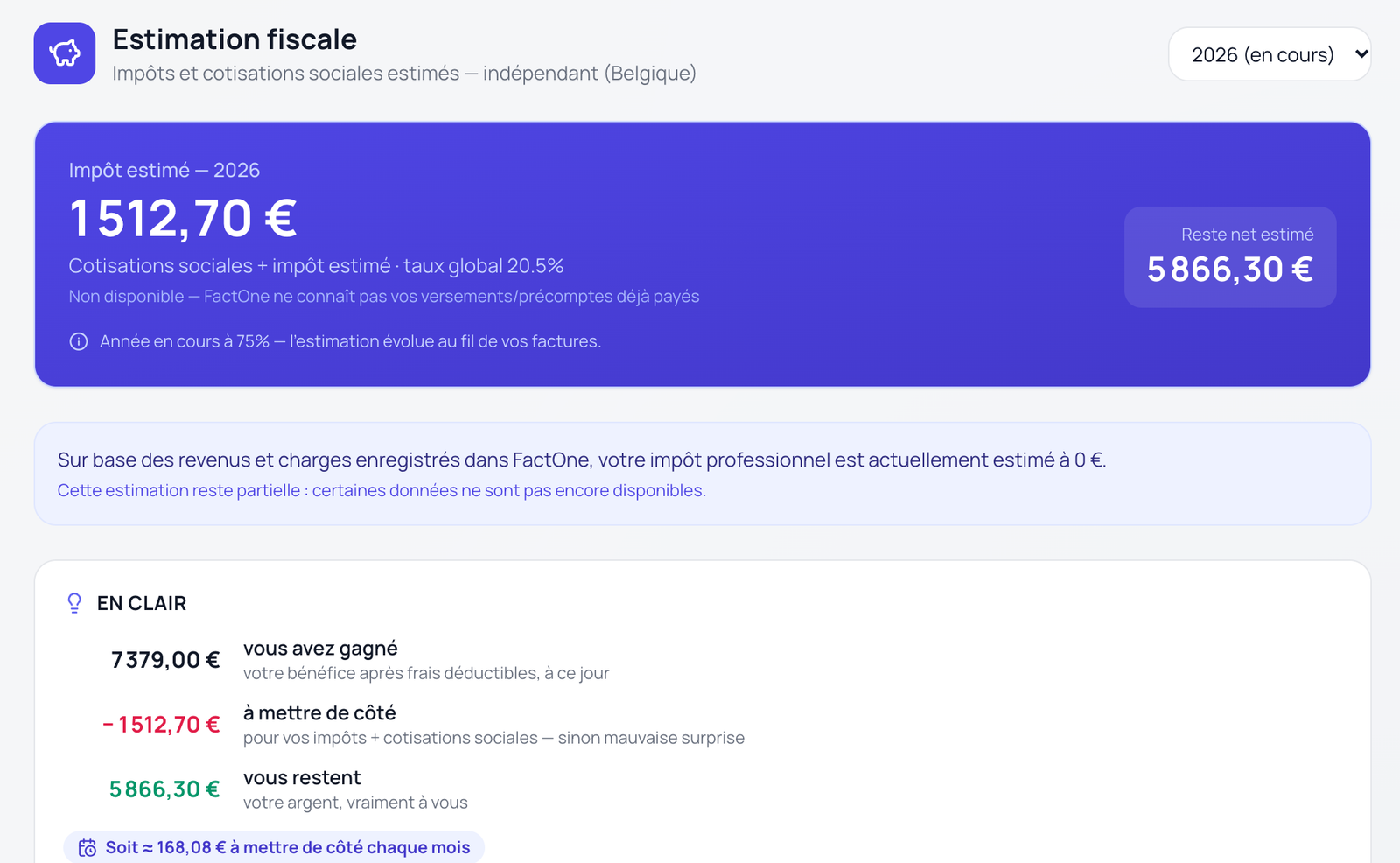
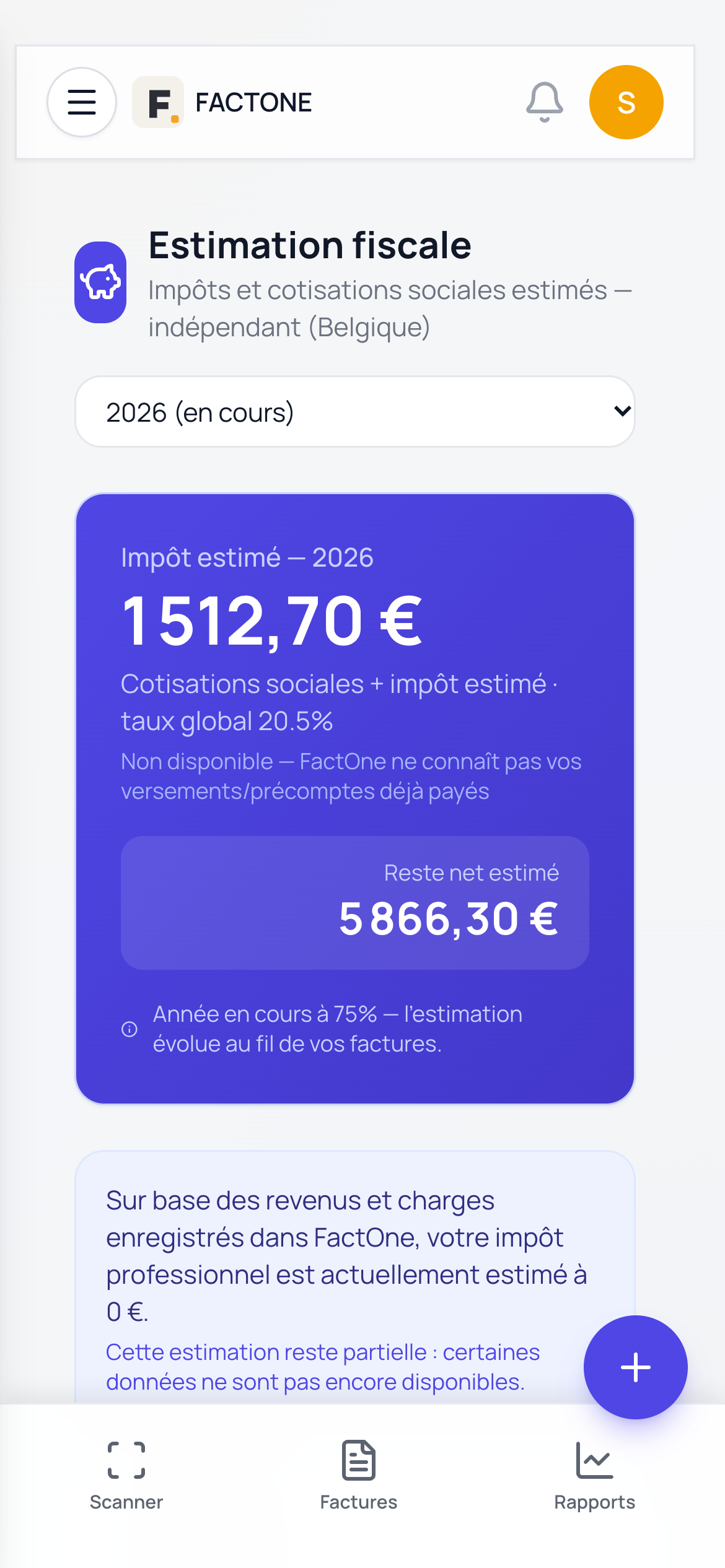
From your invoices, FactOne estimates your social contributions and your tax, tells you what you really have left, and how much to set aside each month.
An indicative estimate, refined over the year: FactOne does not know your advance payments and does not replace your accountant’s advice.
On your own or with support
Invoices and Peppol, scanned purchases, VAT return prepared, exports ready when needed.
Access to your file with your consent, document requests, centralised documents, exports for their software.

FactOne prepares and centralises; tax and accounting advice remains your accountant’s.
FAQ
Yes. FactOne sends your invoices and credit notes over the Peppol network and receives those of your suppliers. The connection to the network goes through a partner Peppol access point.
No. FactOne calculates the boxes from your invoices and generates the XML file in the format expected by Intervat. You check it, then file it yourself, or your accountant does.
Yes. Your accountant can access your file, prepare the VAT return and retrieve an export for their software: Sage BOB 50, Exact Online, Octopus, WinBooks, Yuki, Venice.
The FactOne app is available on Android, via Google Play, and on iOS, via the App Store. FactOne can also be used in the browser.
Create your account online: your company is ready right away and you issue your first invoice.